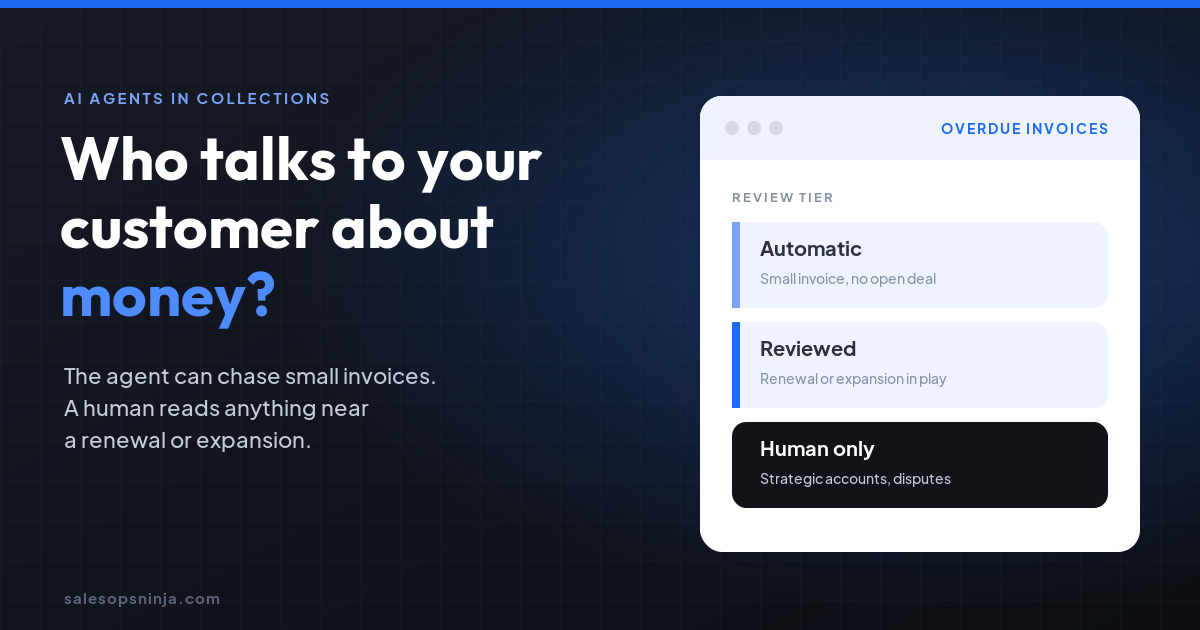
Only for small, routine invoices on accounts nobody is actively selling to. Let the agent send reminders automatically there, have a human review anything tied to a renewal, expansion or open dispute, and keep strategic accounts human only, because the collections email lands on the same buyer your AE is trying to grow.
I'm Michael Thomas Zajac, a sales operator in Hermosa Beach. Most of my career has been spent on the revenue side of the house, and the one lesson that keeps repeating is simple: your customer does not see departments. They see one company sending them emails. When finance and sales talk to the same person in two different voices, the customer notices.
What did HubSpot just ship?
HubSpot's revenue agent setup guide, last updated October 7, 2026, describes an agent that monitors open invoices and builds outreach plans to collect payment. It can also send escalation emails to an internal contact. The part that caught my eye is the automation setting. There are two modes:
- Review every email. You review and approve each plan.
- Send automatically until a customer replies. The agent sends the initial and follow-up emails to the buyer, plus the internal escalation emails, and none of them require approval. A billing reply from the buyer regenerates the plan and sends it back to you for approval.
To be fair to HubSpot, there are real guardrails here. Agent instructions cannot change invoice amounts or payment terms, and a buyer reply pulls a human back in. But the first two or three emails can go out before anyone on your team reads them.
Isn't this the same as letting AI touch billing?
No. Back in September I wrote about how to let AI touch billing without writing money on its own. That post was about the numbers: who is allowed to create or change an invoice, a price or a credit. This one is about the conversation. The invoice amount can be perfectly correct and the email can still be wrong, because of who receives it and when.
A polite past-due reminder is fine on a $900 invoice from a customer you rarely talk to. The same reminder, landing the week your AE is negotiating a multi-year expansion with that same VP, is a problem. The buyer now has a reason to stall, and your AE learns about it from the customer.
What was broken before agents showed up?
Honestly, the visibility problem is old. In a lot of companies, finance owns the invoice and sales owns the relationship, and neither can easily see the other's side. Reps walk into renewal calls without knowing the account is 60 days past due. Collections sends a firm note without knowing there is an open deal. An agent that sends on its own does not create that gap. It just makes the gap faster.
What did I build at Intertrust?
At Intertrust, our quote-to-cash flow worked like this. After a contract was signed in DocuSign, NetSuite generated the invoice and managed payment and A/R, connected through Celigo. Then the invoice was mirrored back into Salesforce, so the commercial team could see billing status on the account they were working.
That last step is the one that matters for this conversation. Sales could see what finance saw. If you are about to let an agent email customers about money, that two-way visibility is the foundation. The agent needs to know about the open opportunity, and the AE needs to see what the agent sent.
Which collections emails should stay human?
Here is the three-tier checklist I would hand to RevOps and finance before turning on any automatic mode. Set the thresholds to fit your business. The point is that someone decides them on purpose instead of inheriting a default.
| Tier | Who sends | Use it when | Examples |
|---|---|---|---|
| Automatic | Agent sends, no approval | Small invoice, no open opportunity, no renewal in the next 90 days, no dispute on file | Low-value self-serve or transactional accounts, first friendly reminder |
| Reviewed | Agent drafts, account owner or finance approves | Open opportunity, renewal coming up, or invoice above your set amount | Mid-market accounts with an active AE, second or third reminder |
| Human only | A person writes and sends | Strategic or named accounts, active disputes, executive contacts, anything mentioning service suspension | Top accounts, any account in an expansion or legal conversation |
A few rules that make the table work:
- Check for an open opportunity before every send. If the account has a live deal, it moves up a tier automatically.
- Copy the account owner on escalations. The internal escalation email should reach the AE or CSM, not just finance.
- Log every agent email on the CRM account. If the AE cannot see it, it did not happen from their point of view.
- Name the sending inbox carefully. A shared billing inbox sets a different tone than an email from a rep's name.
- Review the automatic tier monthly. Look at reply sentiment and any deals that stalled after a reminder.
What should you do Monday?
Pull your list of accounts with open invoices and match it against open opportunities and renewals in the next quarter. That overlap is your reviewed and human-only list. Set the agent to review every email until those accounts are tagged, then turn on automatic sending only for the tier you have agreed is safe.
An agent can be very good at chasing money. It just should not be the one deciding which customers are safe to chase. If you want a second set of eyes on how your quote-to-cash and CRM talk to each other, that is the kind of work I do.